Since 25.08 It will not be possible to log in to Millenet from the version of the browser you are now using. Update the browser on your device and use online banking in a comfortable and secure way.
Update the browser
Get a PLN 200 goodie eCard for something that will make your child happy
Open Konto 360° Junior account online and meet the special offer conditions. Special offer till 31.01.2027. Account limit of 20 000.
First account for your child, and a PLN 200 goodie eCard for you

The first “I can do it myself” starts with an account.
You can open a Konto 360° Junior account for your child and help them discover how to manage their own money wisely.
In order to participate in the special offer, open a Konto 360° Junior account for your child online and accept the special offer terms and conditions. Before submitting the application, you must give consent, on your own behalf, to receive marketing and commercial communications and have no objection to profiling. These consents must remain active until the reward is paid out. You can benefit from the special offer if you meet all the conditions described in the special offer terms and conditions.
Children aged 0-6
- The balance in your child's Profit Savings Account must be at least PLN 200 for 3 months from the date the account is opened.
Children aged 7-17
- Deposit at least PLN 200 into the new account within the first 10 days after it is opened.
- Your child must make at least 3 payments using the account debit card or a card added to a mobile wallet in each of the first 3 months following the account opening.
- The balance in your child's Profit Savings Account must be at least PLN 200 for 3 months from the date the account is opened.
Special offer till 31.01.2027. Account limit of 20 000. Details can be found in the the terms and conditionsThe link opens in a new tab. (in Polish).
Free account with 24/7 access

-
 for payment account maintenance
-
for debit card maintenance*
-
for domestic PLN transfers and for money transfers to mobile numbers
-
for cash withdrawals from Millennium, Santander and Planet Cash ATMs*
* in the case of cards issued for children over 13 years of age, card service and cash withdrawals from Santander and Planet Cash ATMs are free of charge with min. 1 non-cash transaction per month
 Legal note
Konto 360° Junior
grows with your child
0-6 years of age
Your child can have a bank account from an early age, and you can slowly introduce them to the world of finance and take care of their future. See what we've got on offer for children of this age:
- a current account to which you can transfer even small amounts
- Profit Savings Account with attractive interest rate
- access to Konto 360° Junior account from Millenet and the parent's mobile app
7-12 years of age
A child from the age of 7 may gain access to Konto 360° Junior account and, at the request of the parent, receive:
- age-appropriate mobile app
- debit card for the account with specially designed graphics

13-17 years of age
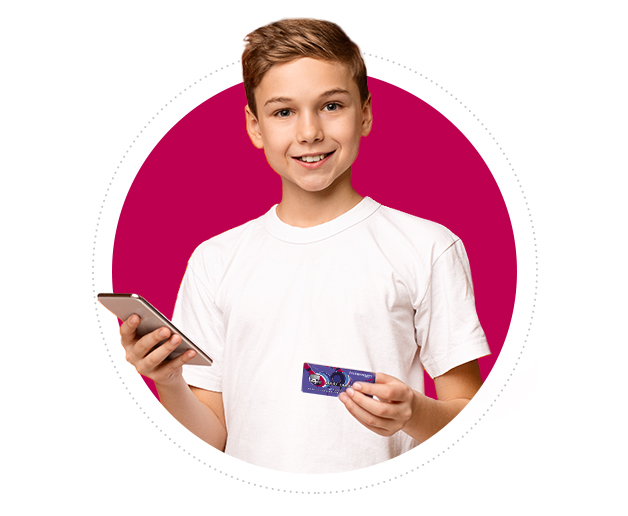
After the age of 13, a child gains more opportunities and additional features in electronic banking. The child can now use:
- Millenet online banking system
- an "adult" version of the mobile app, in which they gain access to new features, such as phone top-ups or tickets for public transport
- debit card with a new graphic design
Mobile app
follows the needs of the child
 Profit Savings Account
With Profit Savings Account, you and your child can save money to make dreams and plans happen. Children from 7 years of age can have access to savings.
 Twój Cel Savings Account
With a Your Goal account, you can divide savings into categories. This will help your child learn how to save money.
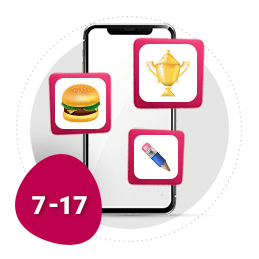 Request for pocket money
If your child needs funds, they can easily ask you for some pocket money in the mobile app. All they have to do is send a request, then you will receive a message and the money will go to the child instantly.
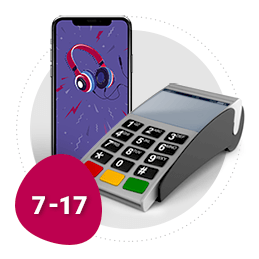 Mobile contactless payments
Your child can pay quickly and conveniently by phone. In a store, all they have to do is unlock the phone, bring it closer to the terminal and it's ready. Mobile payments are available from the age of 7, and Apple Pay from the age of 16.
 BLIK
With BLIK, your child can pay in an online and stationary store. They can also make an instant transfer to mobile, without providing the recipient's account number.
 Transport tickets
In the app, your child can buy a public transport ticket (for a bus or tram). All this without queues and logging in to other apps.
 Phone top-up
In the app, your child can top up the prepaid phone at any time. Just select the operator, enter the amount and confirm the transaction.
How does "Request for Pocket Money" work?
How to open
-

I am a Client
Log in to Millenet or the mobile app.
-

I am new to Bank
Apply for Millennium 360° account online.
Open Konto 360° Junior account online
-
1
Log in to Millenet.
Open Konto 360° Junior account Open Konto 360° Junior account
-
2
Go to Offer > Products for kids > New Konto 360° Junior account. Complete the details and after reading the attached documents, confirm the agreement with SMS Password or Mobile Authorization.
-
3
Konto 360° Junior is already active. You have 24/7 access to it after logging in to your account.
-
1
Log in to the mobile app.
-
2
From the bottom menu, choose Oferta > Konta > Konto 360 Junior. Fill in your details. Read the attached documents. At the end, confirm the agreement with Password 1.
-
3
Konto 360° Junior is already active. You have 24/7 access to it after logging in to your account.
Important documents
- ???link.opens.in.new.window??? Information sheet for depositors (PDF in Polish)
- ???link.opens.in.new.window??? Fee information document - Konto 360° Junior (in Polish)
- ???link.opens.in.new.window??? Price list - fees and commissions – valid from 30.09.2026 for agreements concluded from 25.04.2022 - version accessible in Polish (PDF)
- ???link.opens.in.new.window??? Price list - fees and commissions - for agreements concluded from 25.04.2022 to 29.09.2026 - in Polish (PDF)
- ???link.opens.in.new.window??? Price list - fees and commissions - for agreements concluded till 24.04.2022 (in Polish)
- ???link.opens.in.new.window??? Price Table - Interest Rates (PDF)
- ???link.opens.in.new.window??? Price list – debit cards - for agreements concluded from 30.09.2026 - in Polish (PDF)
- ???link.opens.in.new.window??? Price list – debit cards - for agreements concluded from 01.06.2023 till 29.09.2026 - in Polish (PDF)
- ???link.opens.in.new.window??? Price list – debit cards - for agreements concluded from 25.04.2022 till 31.05.2023 (in Polish)
- ???link.opens.in.new.window??? Price list – debit cards - for agreements concluded till 24.04.2022 (in Polish)
- ???link.opens.in.new.window??? Price List – BLIK Payments – in Polish
- ???link.opens.in.new.window??? General Regulations for the Provision of Banking Services to Natural Persons at Bank Millennium S.A. - for agreements concluded from 25.04.2022 - in Polish (update 1.04.2025 r.)
- ???link.opens.in.new.window??? General Regulations for the Provision of Banking Services to Natural Persons at Bank Millennium S.A. - for agreements concluded from 20.10.2021 till 24.04.2022 - in Polish (update 1.04.2025 r.)
- ???link.opens.in.new.window??? General Regulations for the Provision of Banking Services to Natural Persons at Bank Millennium S.A. - for agreements concluded till 19.10.2020 - in Polish (update 1.04.2025 r.)
- ???link.opens.in.new.window??? „Konto 360° Junior z eKartą goodie 200 zł” promotion regulations (in Polish)
FAQ
- How can I open an account for my child?
- You can open Konto 360º Junior account for your child in few minutes in Millenet or mobile app, or at any Bank Millennium branch in the country.
- Is Konto 360º Junior account free?
- The maintenance of Konto 360º Junior account is free of charge for children and teenagers under 18 years old.
- Is there a debit card issued for Konto 360º Junior account?
-
You can order a debit card for a child aged 7 or older for their Konto 360° Junior account. You can do this when opening the account.
How can you order a card for your child if you have already opened an account?
The quickest way to order a card for your child is in the mobile app or in Millenet.
In the mobile app, select: Products > Konto 360° Junior > Mobile app and debit card
In Millenet, select: Offer > Products for kids > Mobile app and debit card
If you need help, please contact our helpline. In the mobile app, go to: Profile (top-left corner) > Contact > Call consultant directly
Don't use the mobile app? Call us on +48 22 598 40 40. Our helpline is available 24/7.
Note: there is a 15 PLN fee for issuing a “Millennium Visa Konto 360° for Minors aged 7 to 13”. There is no monthly fee for the card for children in this age group, and no conditions need to be met.
If your child is 13 or older, a “Millennium Visa Konto 360°” or “Millennium Mastercard Konto 360°” card is issued free of charge. The monthly card fee is PLN 4. We will not charge this fee during the first two months after the card is issued. After that, the fee will be waived if your child made at least one card or BLIK payment in the previous month, regardless of the amount. The following transactions do not count towards meeting this requirement:
- ATM withdrawals,
- cash deposits at deposit machines,
- transfers (including BLIK transfers to a phone number).
- HideShow more
Application for children aged 7-12
- A child (aged 7-12) has blocked PIN in the app. How do I get it back?
- To start using the app again after blocking PIN code, uninstall the application together with your child, reinstall and activate.
- How can a child (aged 7-12) change PIN for their app?
- If a child logs in to the app using a fingerprint or Face ID, they can change PIN in the settings (App settings → App PIN). If the child logs only with the PIN, it will be necessary to uninstall the app, reinstall and activate.
- I forgot the Temporary P@ssword to activate the child's app (aged 7-12). What can I do?
- You will receive the new Temporary P@ssword at any Bank Millennium branch. Take your phone and child's ID with you.
- HideShow more
Application for children aged 13-18
- My child forgot their P@ssword 1 for mobile app. How can they recover it (aged 13–18)?
-
Your child can recover their P@ssword 1 by calling our helpline from their own phone number at +48 22 598 40 50.
If you changed your child's phone number, visit a branch and bring:
- Your ID
- Your child's ID
- Your child's phone
- How can a child recover their Millekod for the mobile app (aged 13–18)?
-
Your child can recover their Millekod in the mobile app, by going to: Profile (top-left corner) > My Details > My Millekod
Your child can also call our helpline from their own phone at +48 22 598 40 50. We'll send the Millekod to their phone number.
If you changed your child's phone number, visit a branch and bring:
- Your ID
- Your child's ID
- Your child's phone
- A child (aged 13-18) has blocked or forgotten PIN. How do I get it back?
-
If your child has blocked their PIN or forgotten it, they can reset it before signing in to their mobile app.
Tab: Login > I forgot my PIN code
- HideShow more
Legal note
-
Legal note
The “Konto 360° Junior z eKartą goodie 200 zł” promotion of Konto 360° Junior account is valid from 19.10.2026 to 31.01.2027, unless the limit of 20000 accounts covered by the promotion is exhausted earlier. In the promotion, after meeting the conditions, you can receive a reward in the form of PLN 200 on Goodie eCard in keeping with the Regulations.
The rewards will be sent via text message with a code to activate the goodie Gift eCard offered by Millennium goodie sp. z o.o. The manner of using the eCard is specified in detail in the “Regulations of Gift Cards for goodie Clients” and in the “Regulations of Issuing and Using goodie Gift Cards – Corporate Banking at Bank Millennium S.A.” available on goodie.pl in the Regulations section.
Konto 360° Junior is a payment account kept for persons aged under 18. The statutory representative and the account owner after turning 14 may use the funds accumulated on the account within the monthly limit specified in General Regulations on Provision of Banking Services to Individuals in Bank Millennium S.A. Upon request of the statutory representative the Bank enables the minor aged 7-13 to use funds accumulated on the bank account with use of a debit card or mobile app to a limited extent only for the purpose of carrying out the minor’s daily matters (reduced transaction limits apply). Waiver of fees for maintenance of 360° Junior Account debit card issued for clients aged over 13 as well as cash withdrawals from ATMs in case of at least 1 payment with the debit card or by BLIK in the previous month. The fee for issuing a debit card to a Konto 360° Junior account for client between 7 and 13 years of age is 15 PLN. Domestic transfers in PLN (direct debit to other domestic banks) via Millenet and the mobile app are free of charge. A cash withdrawal from an ATM in foreign currency shall be converted to PLN, which involves an additional margin stipulated in the Price List for Debit Cards. Operators of foreign ATMs may charge fees for cash withdrawals abroad independently of our Bank.